2023.01.24 Updated: In Chrome (M121), we will introduce experimental generative AI features, including smart tabs: Chrome is getting 3 new generative AI features
TL;DR: Install three Chrome extensions to completely solve tab management problems
- Sidebar vertical tabs - Vertical Tabs
- Tab grouping extension - Tab Groups Extension
- Close duplicate tabs - Duplicate Tabs Closer
Result
- Tabs displayed in the sidebar

- Automatically grouped by domain name
- Automatically closes duplicate tabs

Pain Points
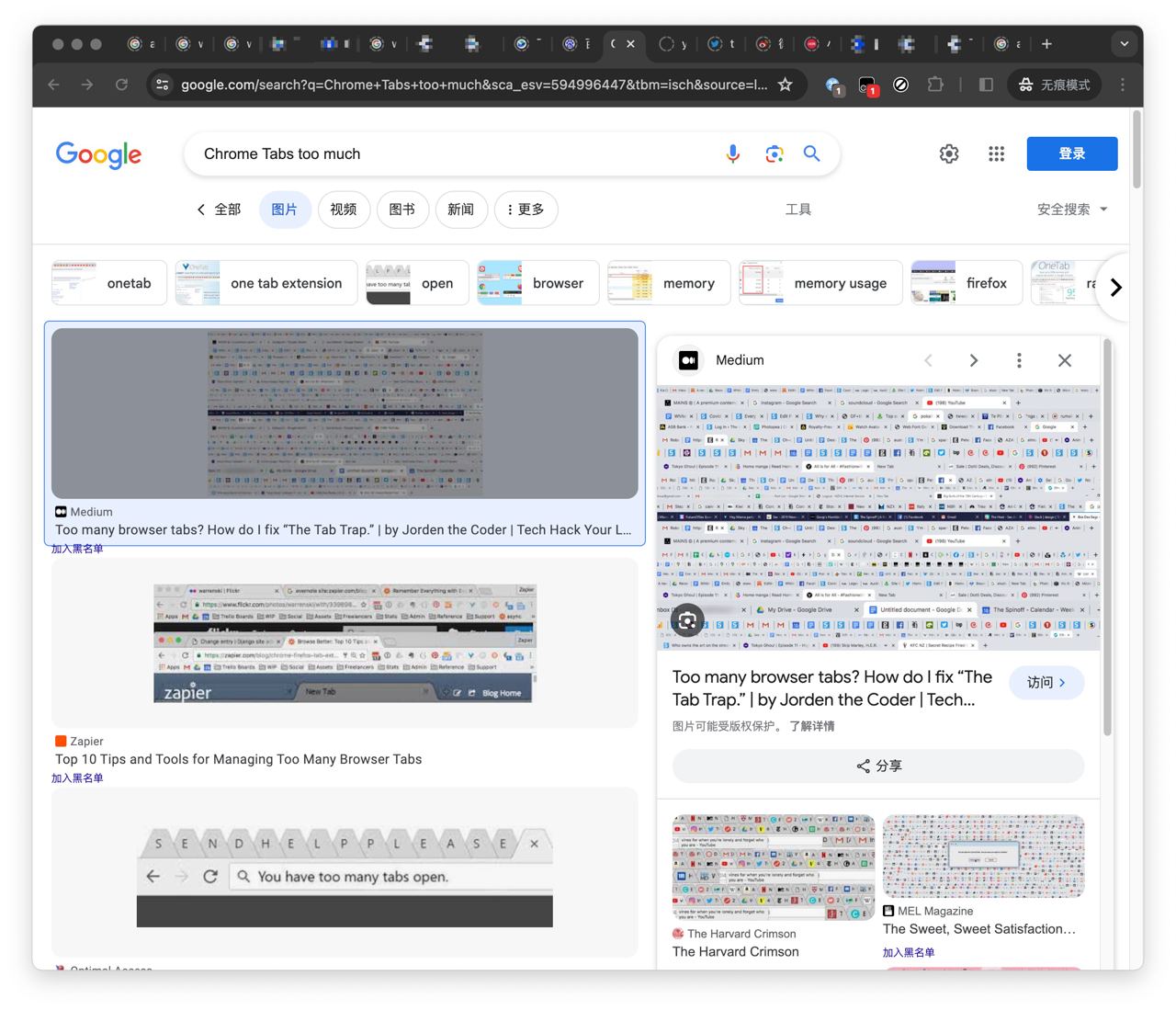
As a heavy Chrome user, tab management has always been my biggest pain point. This is especially true when I have countless pages open:
- Messy: Tabs only show icons, not titles, which makes them very hard to find (even with
⇧⌘A); and the tabs opened earliest are basically never revisited. - Laggy: Long-unused and duplicate tabs remain open, occupying memory for a long time and causing stuttering.
What I Tried
Other Browsers
During this period, I tried many extensions (Auto Group Tabs, ai-group-tabs, OneTab) and browsers (such as Edge and Arc). I ran into various issues and ended up switching back to Chrome.
 The main reasons were:
- Google ecosystem: Automatically syncing all browser settings through a single Google account is just too convenient. Edge and Arc cannot sync as well and require manual imports.
- DevTools: My day-to-day development heavily depends on Chrome DevTools. Edge and Arc differ somewhat in their DevTools feature parity. Also, for developers, a full address bar is really important!
- Automatic grouping: Arc does not automatically group tabs by domain. Even with a vertical tab bar and Spaces, it still cannot avoid tab bar clutter.
- Opening new windows: Maybe I’m used to Chrome, where every new window starts fresh. Arc brings all vertical tabs along every time, and there’s no way to get rid of them.
- Categorization, not temporary storage: OneTab is more about temporary storage, but once something is stored away temporarily, it usually means I’ll never look at it again.
Chrome Community Extensions
Until New Year’s Day 2024, when I came across guokai.dev and found two extensions developed by a Google engineer (vertical tabs + tab grouping). Used together, they are simply the best practice for tab management.
 Then I saw a comment: “No need to keep searching. Before Chrome officially releases vertical tabs, this is the best one.”

Official Experimental AI
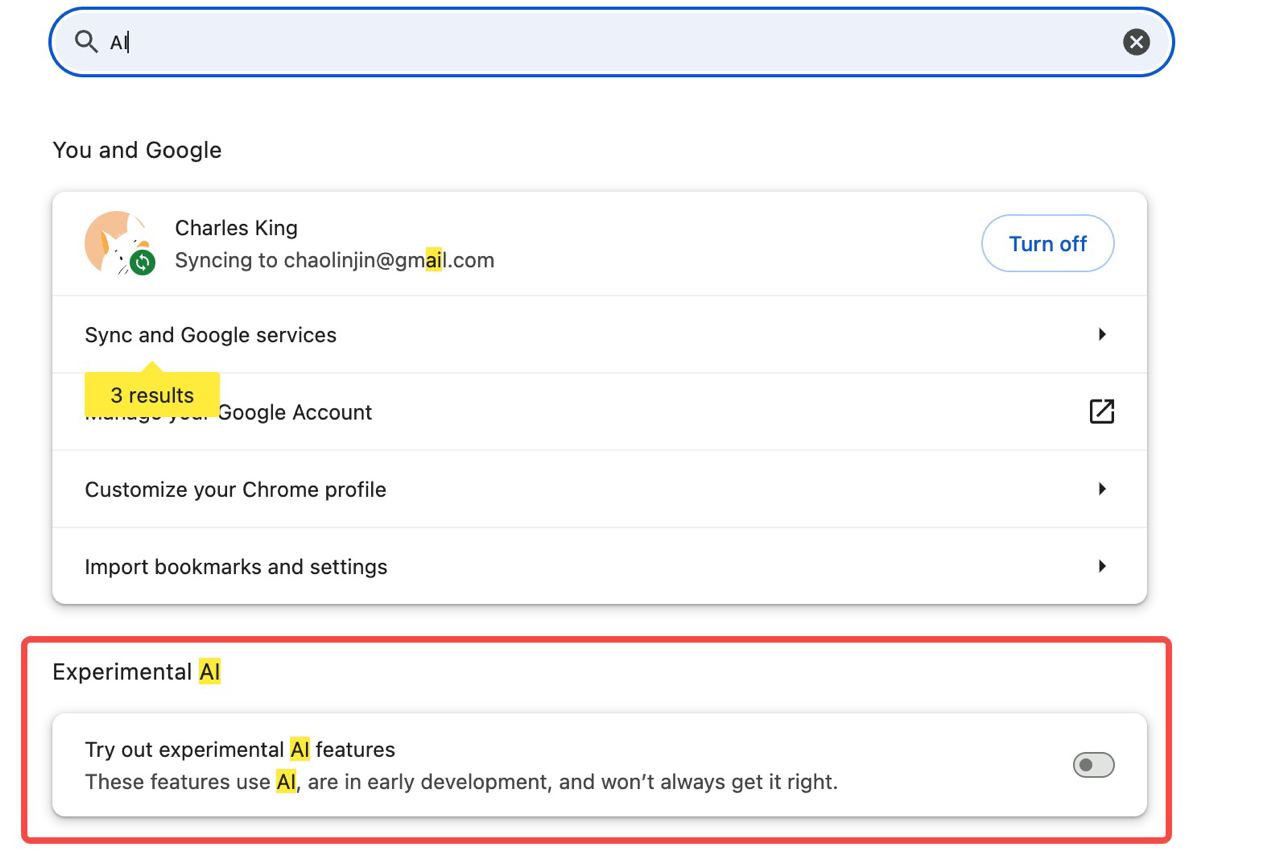
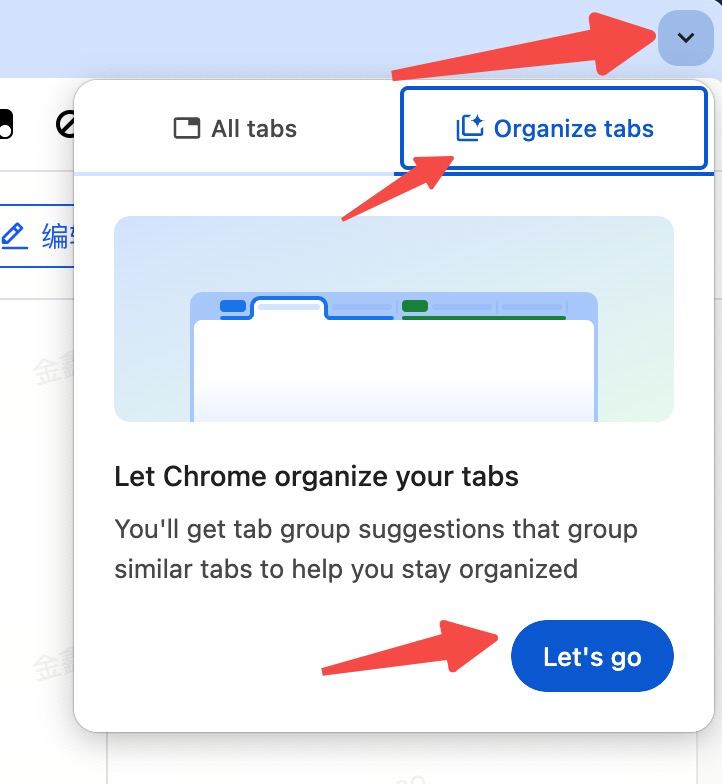
In Chrome (M121), we will introduce experimental generative AI features, including smart tabs: Chrome is getting 3 new generative AI features. There are three requirements to be included in the rollout:
- Chrome version >= 121.0
- System region set to United States (US)
- Language set to English
References
Chrome vertical tabs extension How do you manage so many open Chrome tabs?